Build a Training Company Site
This guide builds the site of Atlas Training, a school that trains yoga, pilates and nutrition teachers in Lisbon and Porto. It is the kind of site a small business pays for: it presents the courses in English and Portuguese, brings in leads, takes paid bookings and gives customers a members area. Each chapter adds one part, and each part shows what Lynx does for you as a developer and for the client who runs the site afterwards.
The code is tested: every file the guide shows runs in Lynx's test suite, so it works with the release you install. The finished site is a starter you can clone: LynxCMS/starter-training.
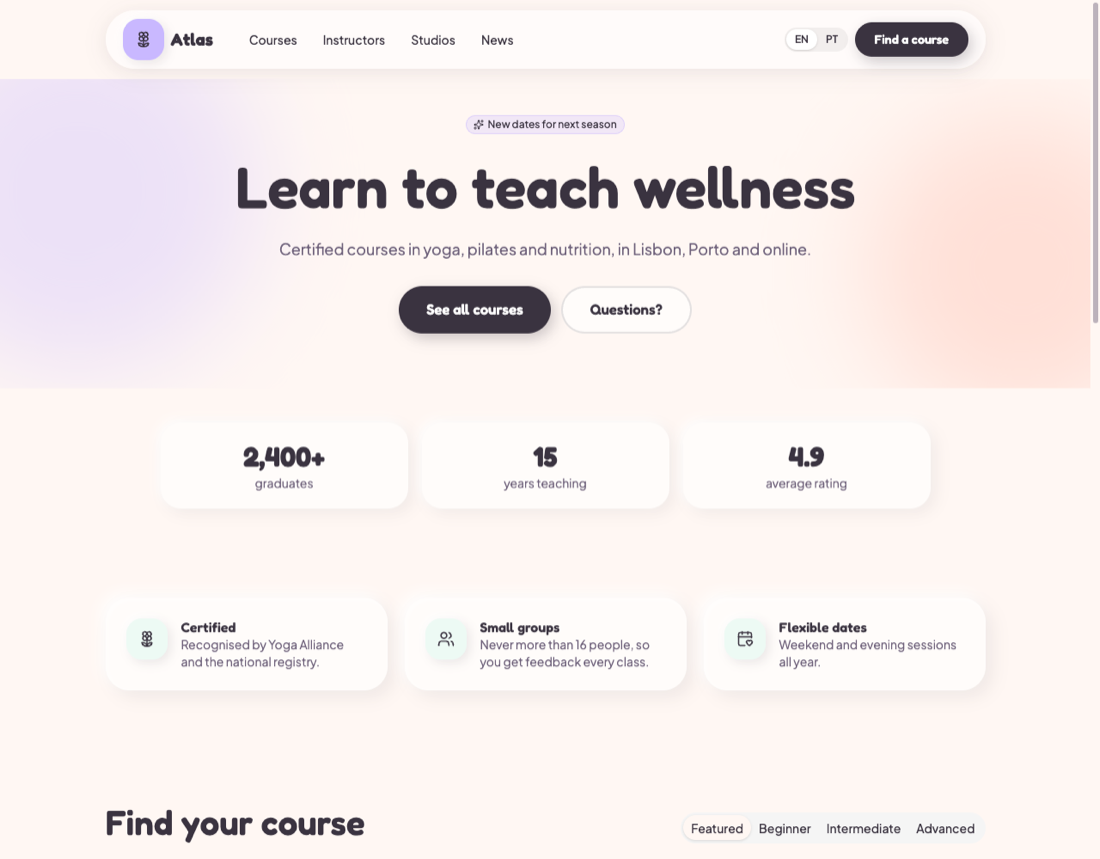
What you build
| Chapter | You add | The client gets |
|---|---|---|
| 1. Plan and install | A Laravel app with Lynx and its modules | An admin to sign in to, with roles |
| 2. The content model | Templates and fields for courses, sessions, instructors and studios | Forms in the admin that fit their content |
| 3. The front end | Views from BlatUI's Bloom template, filters and languages | A site that looks finished, in two languages |
| 4. The editors' side | Roles, previews, scheduling, translation | A team that edits safely |
| 5. SEO | Titles, structured data, sitemap | Courses that show up well in search |
| 6. Leads | An enquiry form, a newsletter form, a CRM link | An inbox of leads, and leads in their CRM |
| 7. Paid bookings | Stripe Checkout and a webhook | Revenue, with seats counted for them |
| 8. Members area | Sign-up, bookings, gated materials | Customers who help themselves |
| 9. Surveys | Course feedback forms for members | Answers, summarised per question |
| 10. Launch | Caching, backups, deploys, AI tools | A fast site that is safe to run |
Before you start
You need PHP 8.5, Composer, Node and a Laravel 13 app, or an empty folder to create one in. You should know basic Laravel: routes, Blade, service providers and seeders. Your First Site introduces Lynx itself in thirty minutes; this guide assumes you have read it or are happy to look things up as you go.